


Make tenant management a breeze
-
Flexible Move in/Move out setup

-
Compliant with all regulations
-
Easy documentation
-
Zero paperwork
Trusted by 2k+ brands









Don't make it complicated
One-stop platform to approve, track & regulate all move-in/move-out requests in your community.

Spare yourself the paperwork
Ditch the piles of paperwork and let the app handle it. With everything digitized, move-ins and move-outs are a breeze, saving you time and keeping things organized.
Key features
-
 Easy documentation
 -
Gate pass setup
-
Digital records
-
Instant receipts

Efficiency at one click
With one click approvals , real time updates, customizable checklists, bring in efficiency to managing & regulating all move in-move out requests in your community.
Key features
-
One click approvals
-
Easy fee collection
-
Seamless data transfer
-
Flexible checklists
Beyond the basics
Our Move-in/Move-out tools evolve with your community’s needs, turning chaos into convenience, and leaving everyone smiling.
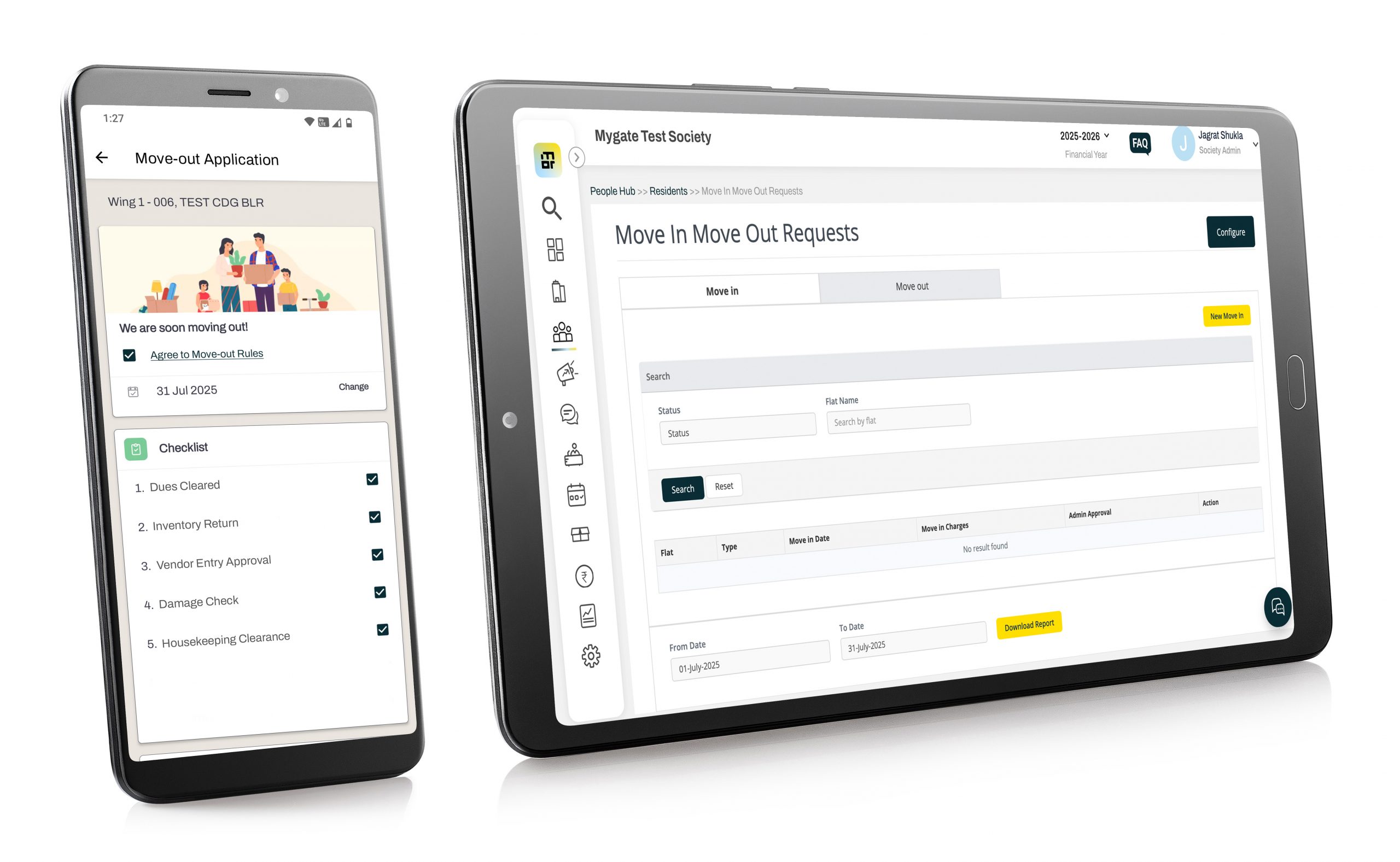
Real time information
Track total number of move-ins or move-outs, documents submitted, payment details, etc. at any given time.
Flexible setup
Define separate rules, charges & docuemnts required for owners, tenants, multi-tenants and other resident groups.
Easy data transfers
During MC transition, pass the resident information easily in the form of digital records.
Effective enforcement
Enable/disable defined rules and regulations at every step of the process through stremalined process control.
FAQs
What is the Move-in / Move-out feature in Mygate?
The Move-in / Move-out feature in Mygate enables societies to digitally manage resident transitions. When a new resident moves in or an existing one moves out, the management committee can approve and update records seamlessly within the app. This ensures accurate resident data, automated access deactivation, and better security all without paperwork or manual tracking.
How does Mygate ensure security during resident move-outs?
When a resident is marked as ‘Moved Out’ in Mygate, their app access is automatically deactivated, and their visitor permissions, vehicle entries, and staff authorizations are revoked. This prevents any misuse of society access after the exit and ensures the community remains secure and updated in real time.
Can a resident raise a move-out request on their own?
Yes. Residents can initiate a Move-out request directly from the Mygate app. Once submitted, the management committee receives a notification to review and approve the request. Upon approval, the resident’s account is deactivated, and society records are updated accordingly.
How is the move-in process made easier with Mygate?
New residents can be added through a Move-in request, which can be initiated either by the outgoing resident, the owner, or the management committee. Once approved, the new resident receives app access, can register their vehicles, add family members, and assign staff—all digitally—eliminating paperwork and reducing onboarding time.
Want to see Mygate in action?
 Chat with us